
Customer-service and sales teams rarely work in one screen. A case may be open in Salesforce while policy notes live in a document, troubleshooting steps sit in chat, and the final response has to be reused in email or another browser tool.
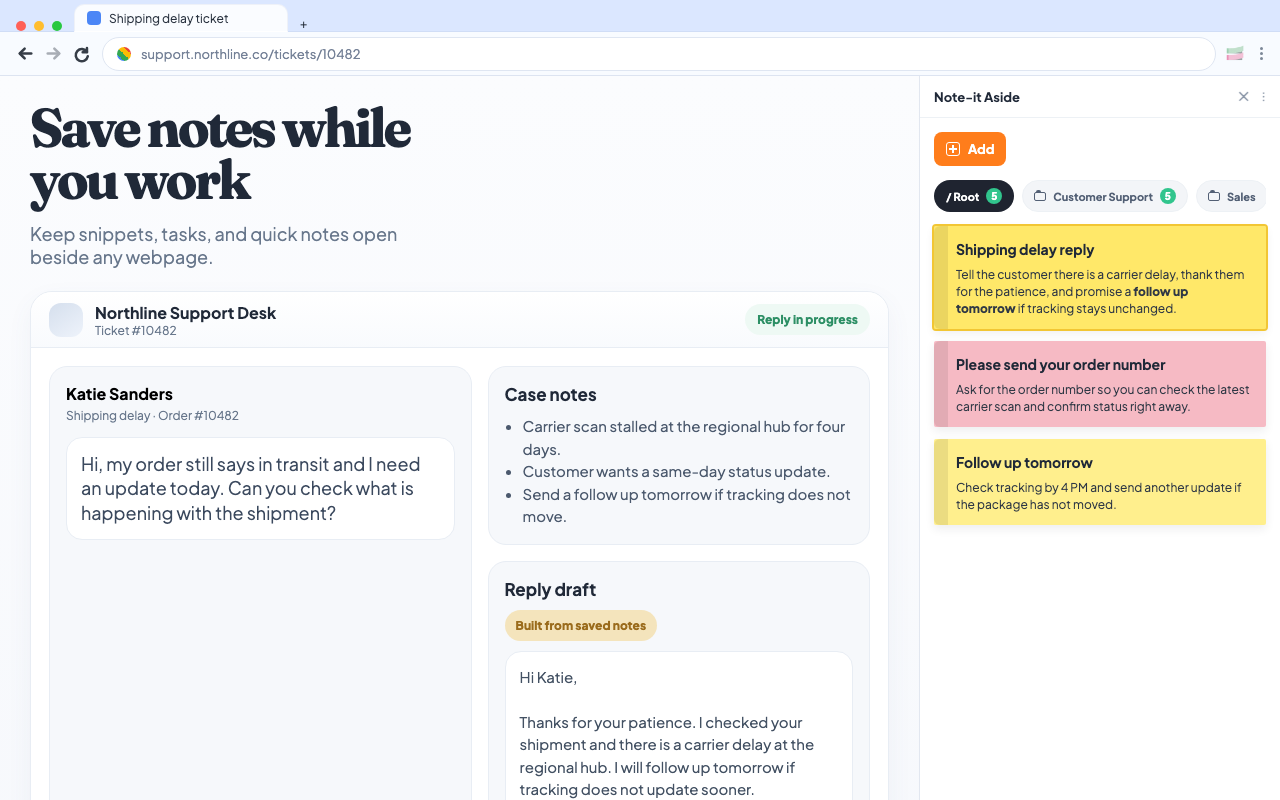
The expensive part is not writing every sentence. It is finding the right wording, confirming that it still applies, and moving it back to the customer without losing the case context.
Note-it Aside gives individuals a visible, browser-side place for that working text. It can sit alongside a Salesforce workflow, but it is not a Salesforce integration and does not replace the platform’s native automation.
Quick Text, Macros, and Note-it Aside solve different problems
Salesforce already includes capable tools for repeated work. The useful question is not which tool “wins,” but where each one belongs.
| Need | Salesforce Quick Text | Salesforce Macros | Note-it Aside |
|---|---|---|---|
| Reuse predefined wording | Inside supported Salesforce fields and conversations | Can select templates as one step in a larger action | From a visible side panel across browser tools |
| Automate record actions | No | Yes, for configured Salesforce actions | No |
| Use Salesforce merge fields | Yes, where supported | Can work with configured Salesforce actions | No |
| Keep personal checklists and reference notes | Possible only within the Salesforce setup chosen by the organization | Not the main purpose | Core workflow |
| Work outside Salesforce | No | No | Yes, anywhere the browser side panel is available |
| Read or update CRM records | Works within Salesforce permissions | Performs configured Salesforce actions | Never |
Use Quick Text when your organization wants standardized messages available directly in supported Salesforce records and conversations. Use Macros when a configured sequence should perform Salesforce actions such as preparing an email and updating a case status.
Use Note-it Aside when the missing layer is personal working context: a reply variation, a troubleshooting checklist, a handoff outline, or reusable text that also needs to work in email, chat, an admin portal, and other browser applications.
A practical five-step support workflow
- Open the case and identify the situation. Keep Salesforce as the system of record. Read the customer history and confirm the current case status there.
- Choose the right note folder. Open a folder such as Account access, Escalations, Delivery updates, or Follow-ups in Note-it Aside.
- Copy the closest approved starting point. Reuse the wording from the side panel, then adapt names, dates, and case-specific details in the destination field.
- Complete CRM actions in Salesforce. Use native fields, Quick Text, or a Macro when the process must update the record, send a configured message, or change status.
- Save useful working context, not customer records. Keep a generic improvement to the reusable note, but leave personal data and authoritative case history in the approved company system.
This division keeps the workflow clear: Salesforce owns CRM data and configured automation; Note-it Aside keeps reusable browser-side working text close at hand.
What to keep in the side panel
Good candidates are repeatable, low-risk pieces of working text:
- opening and closing variations
- troubleshooting sequences with no customer data
- questions to ask before escalation
- handoff checklists
- follow-up reminders and meeting outlines
- links to approved internal policies
Avoid copying customer names, contact details, account identifiers, payment information, health information, or complete case histories into personal snippets. Follow your organization’s data-handling and browser-extension policies.
Start with existing localized templates
Use these as editable starting points rather than finished customer answers:
- Ticket acknowledgment
- Account access help
- Escalation to supervisor
- Follow-up after resolution
- Proposal follow-up
- Meeting request
For a broader role setup, see the customer-support workflow and sales workflow. Each page links to more templates for that role.
Privacy and Salesforce data access
Note-it Aside does not connect to the Salesforce API, inspect Salesforce records, resolve Salesforce merge fields, or synchronize cases, contacts, opportunities, and accounts. It cannot update a record or confirm that copied text is correct for a particular customer.
The extension stores the notes that a user intentionally creates according to its documented storage and backup settings. Organizations with managed Chrome environments can also restrict whether extensions may be installed. Check your employer’s policies before saving work content.
Build a small library before a large one
Start with five to ten high-frequency replies. Give each note a name that makes the situation obvious, group it by workflow, and review the wording with the people who own the policy. Remove customer-specific information before saving anything as a reusable template.
That small, maintained library is more useful than hundreds of fragments nobody trusts.
Keep the next reply beside the page
Install Note-it Aside, create one folder for a repeated CRM workflow, and test it with generic or fictional data first.
Try Note-it Aside free in Chrome
Salesforce is a trademark of Salesforce, Inc. Note-it Aside is an independent product and is not affiliated with or endorsed by Salesforce.