
Most sales reps do not lose deals because they cannot write a good message. They lose momentum because the right message is somewhere else — buried in a sent folder, an old thread, or a teammate’s notes — when the prospect finally goes quiet.
Follow-up is a timing problem, not a writing problem
A prospect who does not reply is usually not a lost prospect. They are a busy one. The reps who recover those conversations are the ones who can send a relevant, low-pressure follow-up quickly, while the deal is still warm.
The blocker is rarely the wording. It is the friction of finding the wording. When the re-engagement message lives three tabs away, the follow-up slips a day, then a week, and the thread cools on its own.
Keep the snippets where the selling happens
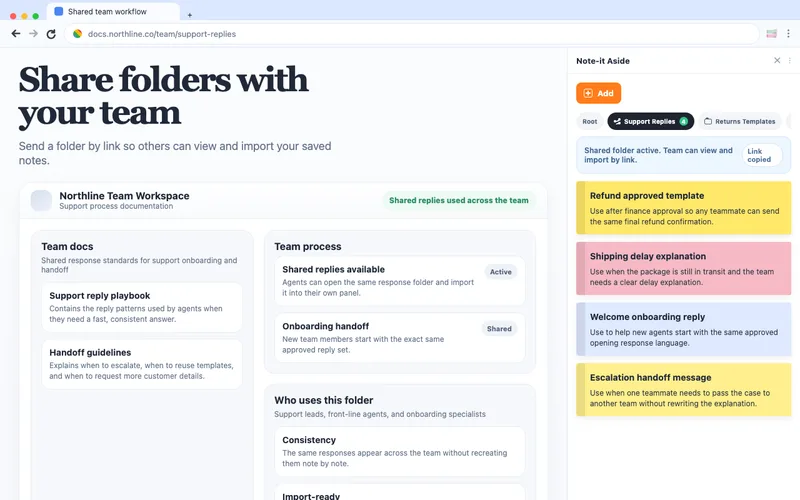
Note-it Aside opens as a side panel next to the page you are already working in — your CRM, your inbox, your sequencing tool. The reusable text stays visible beside the record, not hidden behind another tab.
That changes the working rhythm:
- you can read the prospect’s last reply and your saved follow-up at the same time
- outreach, follow-up, and re-engagement lines sit in folders by deal stage
- you adapt a known-good message instead of rewriting it from memory
- nothing depends on a signup wall or a shared doc being open
What belongs in a sales folder first
Start with the messages you already send every week:
- cold outreach intros for each segment you prospect
- a first follow-up for no response after the intro
- a second, lighter re-engagement nudge for a prospect who has gone quiet
- a proposal follow-up for deals waiting on a decision
- a referral or warm-handoff request for closed accounts
Group them by deal stage rather than by person. Stages repeat; people do not.
A re-engagement example
The hardest message to write on demand is the one to a prospect who stopped replying. Keep a calm version saved and ready:
Hi [name] — circling back on this one. I know timing is everything, so no pressure if now is not right. If it is still on your radar, I can send a short summary of where we left off and the two next steps. If not, just let me know and I will close the loop.
A saved version like this keeps the follow-up consistent and easy to send, so the touch happens on time instead of slipping another week.
You do not need a heavier tool for this
Sequencing platforms and full sales engagement suites have their place, especially for large outbound teams that need automation and reporting. But many reps do not need automation depth to fix their follow-up. They need their best messages to be one glance away.
A side panel of reusable snippets is a smaller commitment: no new system to learn, no per-seat rollout, no separate login. It sits beside the CRM you already use and makes the next touch faster. When the cadence itself is the problem, that is usually the right-sized fix.
Templates for this workflow
Start with the sales template gallery. Three useful first saves are Cold outreach intro, Proposal follow-up, and Lost deal follow-up. A proposal nudge can stay visible beside the deal record:
Thanks for the time on the call. I have attached the revised pricing summary, and the next step is a short confirmation with [stakeholder]. Happy to join that conversation if it helps.
Proof from the Chrome Web Store
“I do a LOT of copy/pasting and it is SO convenient to have all my notes right there. No switching tabs, or opening apps on another page.”
— Public Chrome Web Store review, English
Where to go next
For the full role setup, open the sales workflow page. If your team also handles inbound questions, the support snippet workflow and the Text Blaze alternative guide cover neighboring workflows.
Try it beside your next tab
Install Note-it Aside, open the side panel, and select the folder that matches your pipeline.